

Game Fusion Emulator APK
Have you ever dreamed of running large PC games like GTA and Tomb Raider 9 on an Android device? Game Fusion Emulator might be the pocket PC solution you are looking for.
| Name | Game Fusion Emulator |
| Latest Version | 3.0.3 |
| Size | 103 MB |
| Update on | 1 Hour Ago |
| Compatible with | Android 5.0+ |
| Price | Free |
| Developer | GameSir |
What Is Game Fusion Emulator:
Game Fusion Emulator is an all-in-one emulator for Android that enables you to play games originally designed for desktops or laptops on your phone or tablet. Game Fusion Emulator works with classic Nintendo systems like NES, SNES, and Game Boy. It also perfectly emulates Sega Genesis, PlayStation 1, and early PSP games.
Key Features of Game Fusion Emulator:
- Mobile Convenience
It really makes PC games portable. Cloud gaming and streaming can’t match that experience. - One-stop Experience
Game Fusion Emulator combines all emulator cores and features. You don’t need to install separate apps for each gaming platform. - GameScope Display Technology
Unique display tech boosts HDR quality and color change. So, you get vivid visuals even on a small screen. - Feature-rich
Game Fusion Emulator does more than emulate. It has handy features like instant save, screen filters, and key customization. - Simplified Driver Management
Simplifies the complex driver installation needed for PC games to save a lot of time on setup.
Cons:
- High performance requirements
Running major PC games on your Android device has strict hardware needs. Low-end devices can’t deliver a smooth experience. - The settings are relatively complex
The interface is unified, but to run some games well, you must adjust the emulator core settings. This can be tricky for beginners. - Battery consumption
Running Game Fusion Emulator will consume a lot of battery, affecting phone endurance. - Insufficient technical support
Game Fusion Emulator isn’t fully compatible with some games. So, you’ll need to find your own solutions for specific issues.
Why Game Fusion Emulator is Popular:
- Rendering technology optimized for mobile devices
GameScope technology solves problems with screen ratios and touch controls on mobile devices. - Low-threshold usage experience
Game Fusion Emulator is easier to use than traditional emulators. You don’t need complex setups. It has a simple interface and lets you operate with one click. - Deep integration with mainstream controllers
Easily works with GameSir peripherals and other controllers to give a nearly PC-like control experience and boost game immersion.
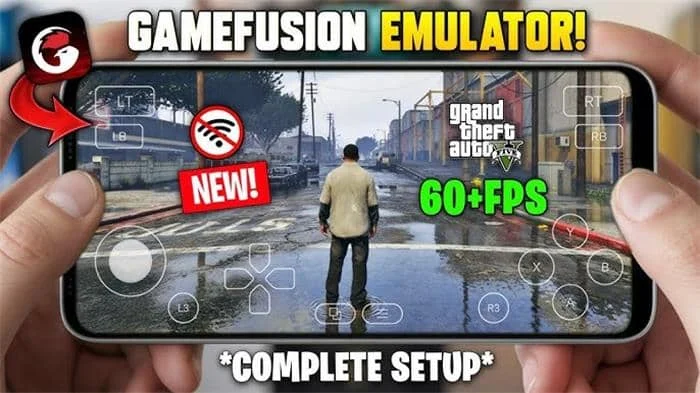
Game Fusion Emulator Screenshots:
Tips for Using Game Fusion Emulator:
- Ensure device performance
Use mid-to-high-end Android phones or tablets for a smoother emulation experience. - Find reliable game ROM sources
Get game ROMs from legal or trusted sources to help you avoid copyright issues and malware. - Pay attention to battery consumption
Running the Game Fusion Emulator for long periods can make the device overheat. So, make sure it has good heat dissipation. - Use with a controller
It is highly recommended to use it with GameSir or other mainstream controllers. - Close unnecessary background applications
Close unnecessary background apps before running games to help ensure your device has enough RAM and storage. It can prevent lag or crashes caused by low resources.
About Game Fusion Emulator APK:
Game Fusion Emulator is a game emulator that allows Android devices to play PC games. It’s not a tool for one game console, it’s a strong system that combines emulation cores from classic consoles. This includes Nintendo, Sony, Sega, and others.
Benefits of Using Game Fusion Emulator APK:
- Multi-platform game simulation
Game Fusion Emulator APK allows Android devices to run non-native games. - Real-time monitoring dashboard
Real-time monitoring features show FPS, temperature, and RAM usage, letting you track the device status anytime. - Enjoy gaming fun anytime, anywhere
Carry your game library in your pocket, ready to start gaming wherever you are. - No need to purchase a PC or console
Play many PC games on your Android device, which were once only available on desktops. - User-friendly interface
Game Fusion Emulator APK offers an easy-to-use graphical interface. This is simpler than some open-source emulators that need complex commands or setups. You can start using it right away. - Strong cross-platform interoperability
Connects easily with popular gaming platforms like Steam and Epic, giving you direct access to your personal game library.
How To Install Game Fusion Emulator APK:
- Download the latest version of the Game Fusion Emulator APK from this website.
- In your Android settings, look for the security or privacy option, allows you to install apps from unknown sources.
- Locate the downloaded APK file and click on install.
- Open the Game Fusion Emulator. Look for the import game option. Then, import your PC game files into the emulator.
- Set up the virtual button layout.
- Select your game from the emulator library and click Start.
Frequently Asked Questions About Game Fusion Emulator:
- What is the difference between Game Fusion Emulator and Winlator Emulator?
Both are Windows emulators on Android. Game Fusion Emulator offers a cleaner UI and better performance with GameSir devices. However, Winlator Emulator is fully open source and raises fewer privacy issues. - What platforms does it support?
It supports many platforms, including NES, SNES, N64, Game Boy, PS1, PS2, Dreamcast, and PSP. - How do I download ROM files?
Game Fusion Emulator has a built-in browser where you can search for and download ROMs. - Does it support cloud gaming?
The core function of Game Fusion Emulator is to simulate a local PC environment. The GameHub Emulator has cloud gaming or streaming features. However, it mainly focuses on local execution. - Why is my game lagging?
Running PC games has high hardware requirements. If it lags, check if your phone is a high-end model. Then, try lowering the resolution and graphics settings in the emulator.




Leave a Reply